

✏️ 原創內容| TechRitual 編輯部
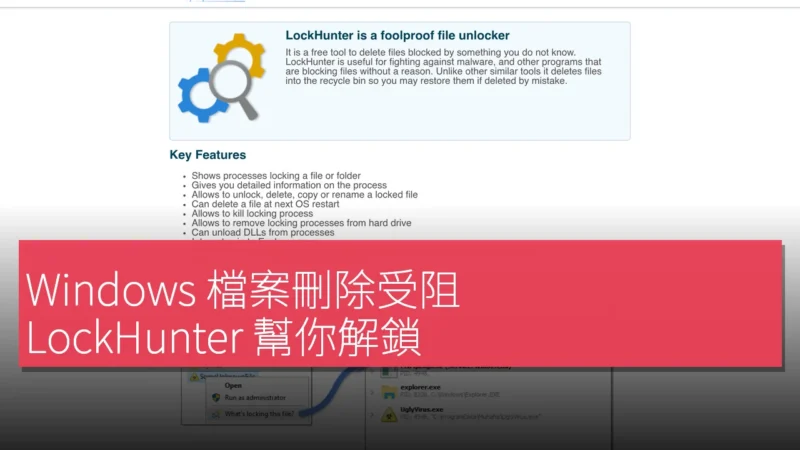
你嘗試刪除檔案,系統卻彈出「檔案正被使用」的提示,無論重啟檔案總管或結束程序都無效。LockHunter 專門解決這種 Windows 檔案鎖定問題,讓使用者不用重啟電腦就能移除被程序佔用的檔案。
一鍵列出鎖定檔案的程序
打開 LockHunter 後,直接拖曳目標檔案或資料夾,工具會即時掃描系統,顯示目前哪個程序正佔用該檔案。使用者可以直接在清單上右鍵選擇「Kill Process」或「Unlock & Delete」,省去手動查找 PID 的麻煩。

同時支援 32 位與 64 位 Windows
LockHunter 提供 32 位及 64 位兩個版本,確保在 Windows 10、Windows 11 以及舊版系統上都能正常運作。64 位版本能偵測到 64 位程序的鎖定,而 32 位版本則相容於較舊的應用程式,無須切換環境即可處理不同情境。
USB 與 SATA 磁碟同樣適用
除一般硬碟外,LockHunter 亦支援外接 USB 隨身碟及 SATA 儲存裝置。當外接裝置出現「裝置正忙」的錯誤,工具同樣能顯示佔用程序,讓使用者安全移除或格式化儲存媒體。
免安裝、免重啟的輕量工具
LockHunter 無需安裝,解壓縮即可執行。操作介面精簡,僅有拖曳區、程序清單及操作按鈕三個部分,適合 IT 人員或一般使用者快速解決檔案刪除問題。
產品名稱:LockHunter
官方網站:https://lockhunter.com/index.htm
