

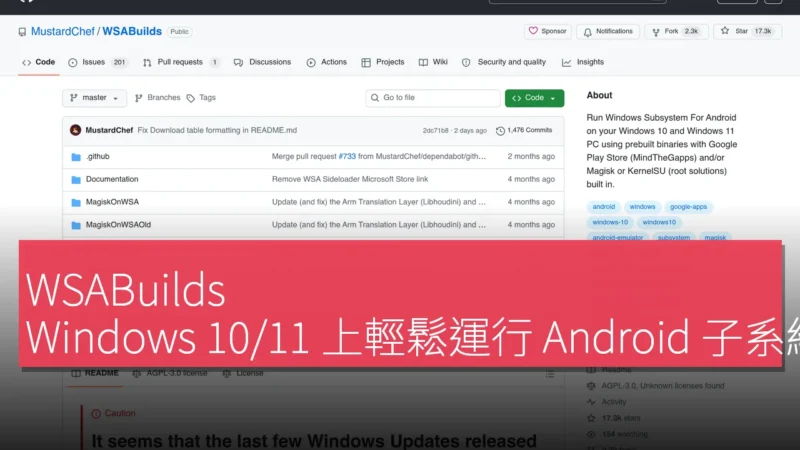
想像一下,你喺 Windows PC 上想玩 Android 遊戲或用特定 App,但唔想裝模擬器或雙系統切換。WSABuilds 就係專為呢類用戶設計嘅開源項目,讓 Windows 10 同 11 用家透過預編譯二進位檔,直接啟用 Windows Subsystem for Android (WSA),仲內建 Google Play Store 同 root 工具。呢個方案解決咗官方 WSA 停更後嘅痛點,特別適合開發者、遊戲玩家同需要 Android 環境嘅專業人士,毋須從零編譯,幾分鐘內就搞掂。
預編譯 WSA 支援 Windows 10 同 11 PC
WSABuilds 嘅最大賣點,就係提供現成嘅 WSA 預編譯包,直接下載安裝到 Windows 10 或 11。傳統方法要自己編譯源碼,過程複雜又易出錯;呢度用家只需跟 GitHub 頁面指引,下載對應版本,解壓後啟用子系統,即可運行 Android App。呢個做法大大降低門檻,即使唔係進階用家,都能快速上手。項目仲定期更新 builds,確保兼容最新 Windows 版本同 Android 核心。

內建 MindTheGapps 提供 Google Play Store 及服務
好多 WSA 用家最頭痛嘅,就係缺少 Google Play 生態。WSABuilds 直接喺 builds 入面整合 MindTheGapps,開箱即用 Google Play Store 同相關服務。用家下載含 GApps 版本後,啟動 WSA 就能登入 Google 帳戶,下載心水 App 同遊戲。頁面特別提醒含 GApps builds 可能有小問題,並提供 #593 comment 內嘅推薦修復方法,例如調整權限或重置服務,確保穩定運行。呢個一體化方案,避免咗手動刷 GApps 嘅麻煩。
相比其他 WSA 方案,呢度嘅 GApps 整合更可靠,因為預先測試過兼容性。用家反饋顯示,大部分 App 如 YouTube、Gmail 都能順暢運作,雖然偶爾需跟指引微調,但整體體驗接近原生 Android。
Magisk 同 KernelSU 內建 root 解決方案
對開發者或需要深度自訂嘅用家,WSABuilds 提供 Magisk 或 KernelSU 預裝版本,讓 WSA 支援 root 權限。Magisk 係 Android root 界嘅標準工具,用嚟模組化修改系統;KernelSU 則係較新嘅 kernel-level root 方案,兼容性更廣。選擇呢類 builds,用家啟動後直接進入 root 環境,安裝 Xposed 模組或自訂 kernel 都無難度。項目頁面有詳細指引,解釋點樣辨別同安裝呢啲版本,避免新手踩雷。
呢個功能特別實用喺測試 App 或開發時,例如模擬 root 環境 debug 程式。雖然 root 會增加風險,如系統不穩,但 WSABuilds 透過預編譯減低咗兼容問題,讓用家專注應用而非修 bug。
⚠️重要下載前須知同啟用指引
項目強調下載前要細閱「⚠️❗IMPORTANT: Read Before Downloading❗⚠️」同「Guide on how to enable」部分,避免常見錯誤。例如,確認 Windows 版本兼容、Hyper-V 已啟用,同下載正確架構 (x64/arm64) 嘅 builds。頁面仲有 WSABuilds 項目狀態更新,顯示最新 commit 同歷史,讓用家追蹤進度。啟用過程大致係:下載 zip、解壓到指定資料夾、運行 PowerShell 指令啟動 WSA,再透過 Amazon Appstore 或側載安裝 App。
另外,MagiskOnWSA 係相關延伸,專為 Windows 10/11 優化 root。整體嚟講,呢個開源項目保持活躍,repository 文件導航清晰,folders 同 files 組織井井有條,用家用 saved searches 都能快速搵到所需 builds。
產品名稱:WSABuilds
官方網站:https://github.com/MustardChef/WSABuilds
支援平台:Windows 10 / Windows 11
